
We were promised a future without passwords. It was supposed to be magical: a frictionless digital life where phishing was impossible, and we didn’t have to remember a random string of characters containing a symbol, a number, and a capitalized vowel.
——
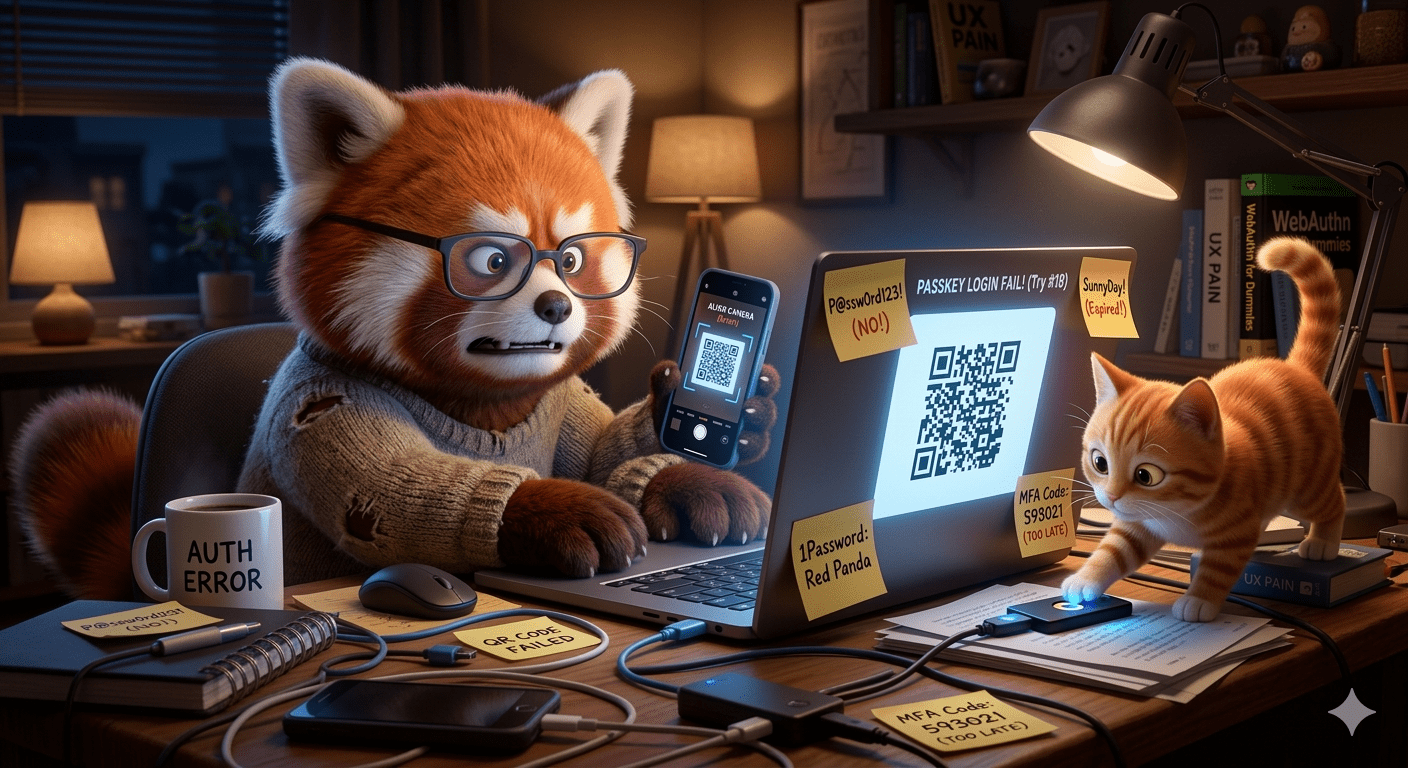
But the reality on the ground in 2026 is vastly different.
We have traded Security through Complexity (passwords) for Security through High-Friction Logic, and users are hating it.
The fundamental truth that security engineers often ignore is this: If a user finds a security measure too annoying, they will abandon it.
Right now, the two titans of “modern” authentication—Passkeys and Hardware Keys (like Yubikeys)—are both hitting a wall. And that wall is us.
Passkeys: The Bridge to Somewhere Awful
Passkeys are, technically, a massive leap forward. They assist preventing phishing
They replace a shared secret (password) with a unique cryptographic key bound to your device.
When it works, it’s magic: you look at your phone, and you’re logged into your bank.
But that’s only when you are in a “Single Ecosystem” scenario.
 Also? QR codes are only useful for when you have two devices (one capable of scanning a QR code).
The moment you step outside your chosen garden, passkeys break.
The Problem of Cross-Ecosystem Misery
Imagine you have your passkey for a crucial service stored on your iPhone (iCloud Keychain). You are now trying to log into that same service on a Windows PC. Here is the “passwordless” workflow the FIDO Alliance wants you to enjoy:
1. Click “Sign In.”
2. A generic OS prompt appears offering a QR code.
3. You have to find your phone (this is ASSUMING you have TWO devices!!! A middle class centric system…)
4. You unlock your phone.
5. You open your camera app.
6. You scan the QR code.
7. The phone has to establish a Bluetooth “proximity check” tunnel to the PC (proving you are physically standing there).
8. You authenticate via FaceID on the phone.
9. You wait for the tunnel to confirm the handshake on the PC.
This isn’t an upgrade. This is a Rube Goldberg machine. It is more steps, more context switching, and more potential points of failure than typing a password and receiving an MFA text code. Marketing promised an easier life, but gave us the “Second Device Dance.”
Users are encountering this hybrid state where they must manage some passkeys in their browser (like Google Chrome), some in their OS keychain (Apple), and some in their password manager (1Password).
Because these platforms aren’t fully extensible—they don’t sync smoothly and securely in the background yet—the fallback is always the dreaded QR code.
When users see that QR code, they don’t think “security,” they think “abandon task.”
The Yubikey ‘MFA’ Lie

“multiple” “factor” shouldn’t be 2fa as minimum
The classic definition of Multi-Factor Authentication (MFA) requires two of three distinct things: Something You Know (password), Something You Have (token/phone), or Something You Are (biometrics).
The Hardware Key (Yubikey, Titan Key) is marketed as the ultimate “Something You Have.” It’s unphishable. You just plug it in and tap the glowing button.
The problem is the “tap” does not prove you are there. It only proves a human (or a mammalian appendage) is touching it.
The Yubikey “Elbow and Cat” Vulnerability
Here is the fatal flaw in how most services implement hardware keys as MFA: The default configuration collapses “Multi-Factor” into “Single-Factor Hardware Possession.”
If I have my Yubikey permanently inserted into my laptop’s USB port (as many people do), and my cat walks across the keyboard and her paw hits the key during a login prompt, she has authenticated “Multi-Factor.”
If you have the hw token, and tap the key with your elbow, you don’t need a 3rd factor unless configured.
This makes yubikey 2fa equal 1fa……
The button tap is technically a “Test of Presence”—it prevents a remote attacker from activating the key. But if my laptop is stolen with the key inserted, the thief has everything they need. They don’t need a PIN. They don’t need my password. They just need the physical token.
The Friction Trade-off
Why do services do this? Because true 2FA—forcing the user to enter a PIN (User Verification) plus tapping the key—creates too much friction. Companies are so desperate to get users away from vulnerable SMS codes that they accept the lower security threshold of “simple possession.”
But we shouldn’t call it MFA when the default state is so precarious. It’s better than no security, but it’s a lie to pretend that tapping a USB key is the same level of safety as a biometric lock plus a hardware asset.
Abandonment is a Security Risk
The theoretical cryptographic safety of passkeys and the hardware resilience of Yubikeys do not matter if the human interaction logic is so hostile that users revert to vulnerable behaviors.
When users encounter high friction at the point of authentication, they will do one of three things:
1. Fall back to insecurity: They will click the “Use Password Instead” link and re-enable their weak, reused password.
2. Bypass the system: If the hardware key is inserted but the prompt is confusing, they will find a loophole.
3. Account Abandonment: If the friction is too high to complete the initial setup or a cross-device login, they will simply stop using the service.
The industry cannot marketing-speak its way out of this UX failure. We are in a messy transition phase. Passkeys are great if you never leave your platform. Yubikeys are great if you actually configure a PIN. But by making the easiest paths (no PIN, single ecosystem lock-in) the default, we are building a foundation of authentication that feels like a burden, not a benefit.
Until we solve the UX wall, users will continue to hate the “security” that is supposed to save them.
